Change which animation plays
Which animation a character plays isn't stored with the animations. It's decided by a big rule
graph, graphics\move\movemgr.bin: for every situation (reloading, aiming, sprinting, climbing
into a car) a list of rules, each saying "in these conditions, play this clip, like this". The
Animations tab shows that graph as tables you can read and change.
The example makes the AK-47's first-person reload play 25% faster.
Saving writes one situation of movemgr.bin as its own file. VSS Vintorez ships its reload changes
the same way, and was played. This speed change hasn't been played.
Find the situation
The graph (1) is movemgr.bin; the DLC has graphs of its own. Pick the weapon (2), here AK47,
and type into the filter (3): it finds situations by name, by condition and by clip. Reload leaves
Pawn_Generic_Reload (4). Select it, and its rules fill the table (5).
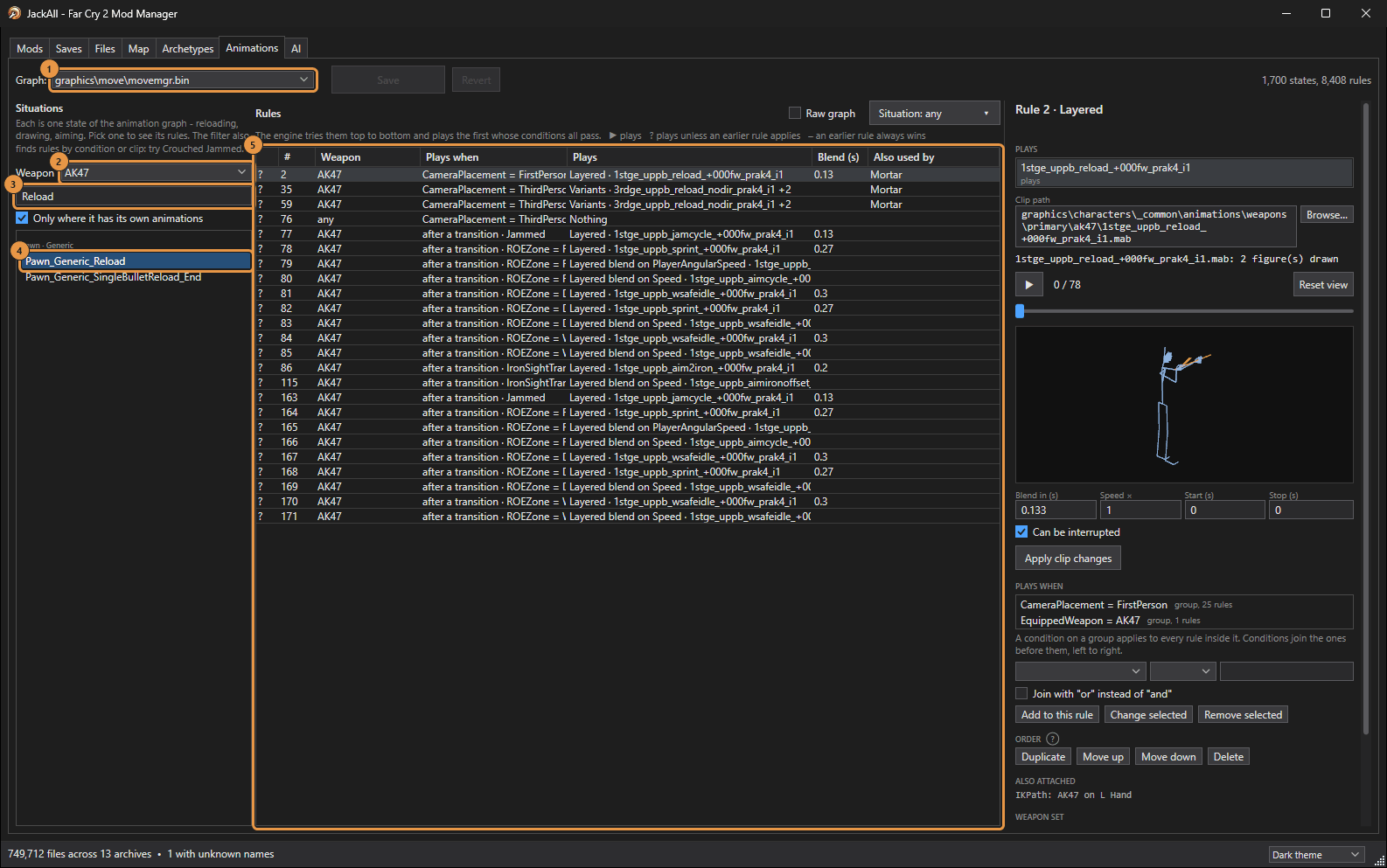
The game tries the rules from top to bottom and plays the first whose conditions all hold. The mark in front of each one says how it stands: ▶ plays, ? plays unless an earlier rule applies, – never plays because an earlier rule always wins. Situation: any above the table lets you set conditions, such as first person and crouched, and see which rule wins then.
Change a rule
Select the rule that plays 1stge_uppb_reload… (1), the first-person reload. On the right is what it
plays: the clip's path (2) with Browse… to pick another, and the clip itself, playable on stick
figures. Under it are how it plays: blend-in time, Speed × (3), start and stop, and whether it
can be interrupted. Set Speed to 1.25 and click Apply clip changes (4).
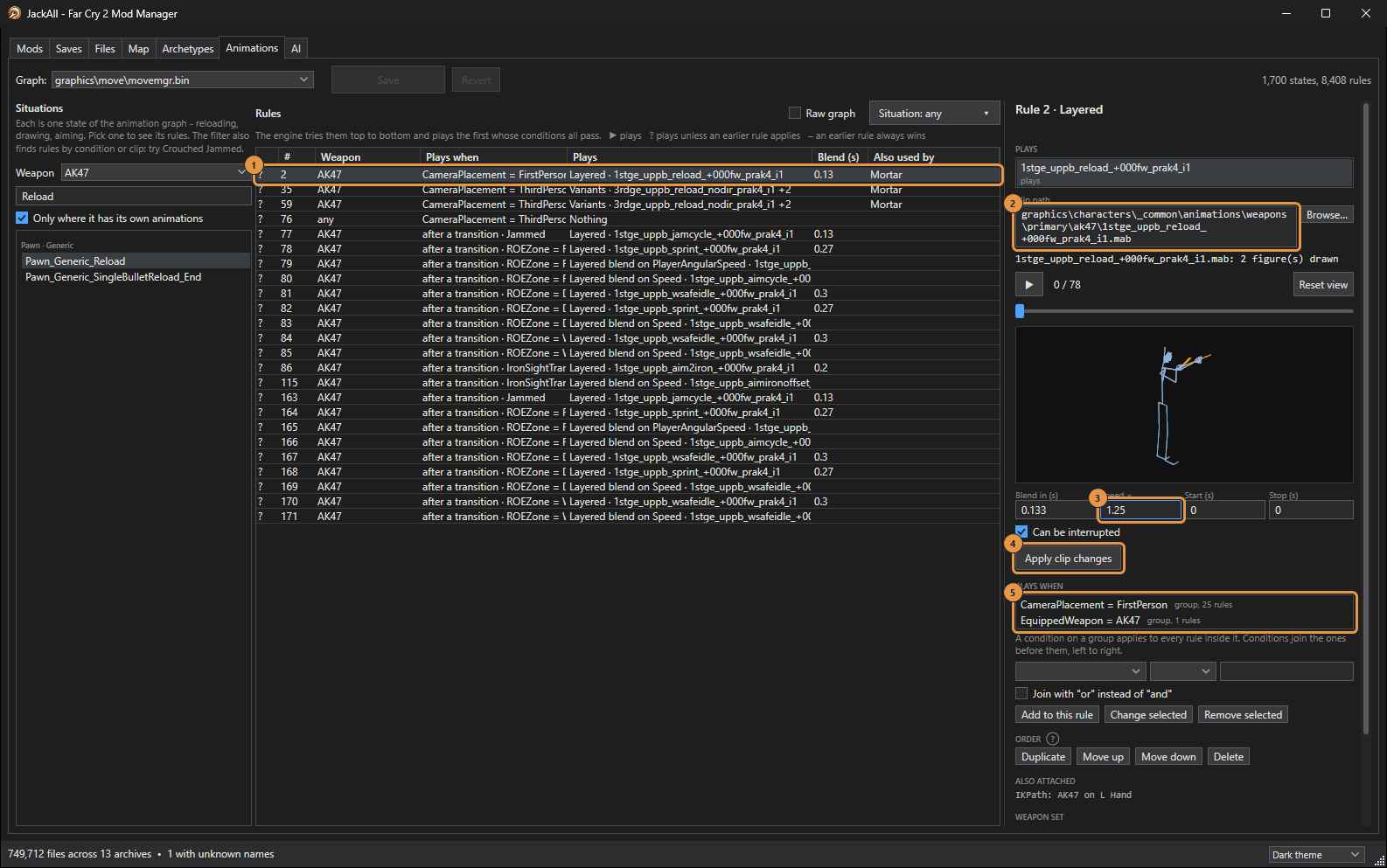
PLAYS WHEN (5) lists the rule's conditions. Pick a channel, an operator and a value under it to Add to this rule, Change selected or Remove selected. ORDER has Duplicate, Move up, Move down and Delete, since order decides which rule wins.
Check the Also used by column before you change a rule: it lists what else plays through the same rule, and a change reaches all of it. This one says Mortar.
Save
Save (1) stages the situations you changed, each as its own piece of movemgr.bin, and confirms
it (2). Another mod that changes a different situation merges with yours. Revert drops your
unsaved changes.

Then Deploy mods.
A new weapon's animations
A new weapon needs animations of its own. Copy weapon set, at the bottom of a rule's details, copies every rule of one weapon onto a new weapon index, so the new gun starts out animating like an existing one and you change only what differs. Replacing a weapon covers the whole job.
Raw graph shows the graph as the game stores it, with Export XML…, for what the tables don't show.