Which copy does the game read?
Here's a way to lose an evening. You find a vehicle in an entity library, change a value, deploy, and nothing changes in game. The edit is in the file. The file is in the game. The game just never reads that copy.
An archetype can be declared in more than one library, and a later library replaces an earlier one
by name. World1's entity library declares the DLC quad bike, vehicle.Land.DLC_Vehicle1_DLC1, but
only as a placeholder that reuses the Datsun's files. The DLC's own library,
downloadcontent\dlc1\generated\entitylibrary.fcb, declares it again for real, and that one wins.
Any edit to world1's copy is dead.
This page makes exactly that mistake on purpose, then lets JackAll catch it.
The library order this page relies on comes from tracing the game's code, and JackAll applies it. These particular edits haven't been played.
The mistake
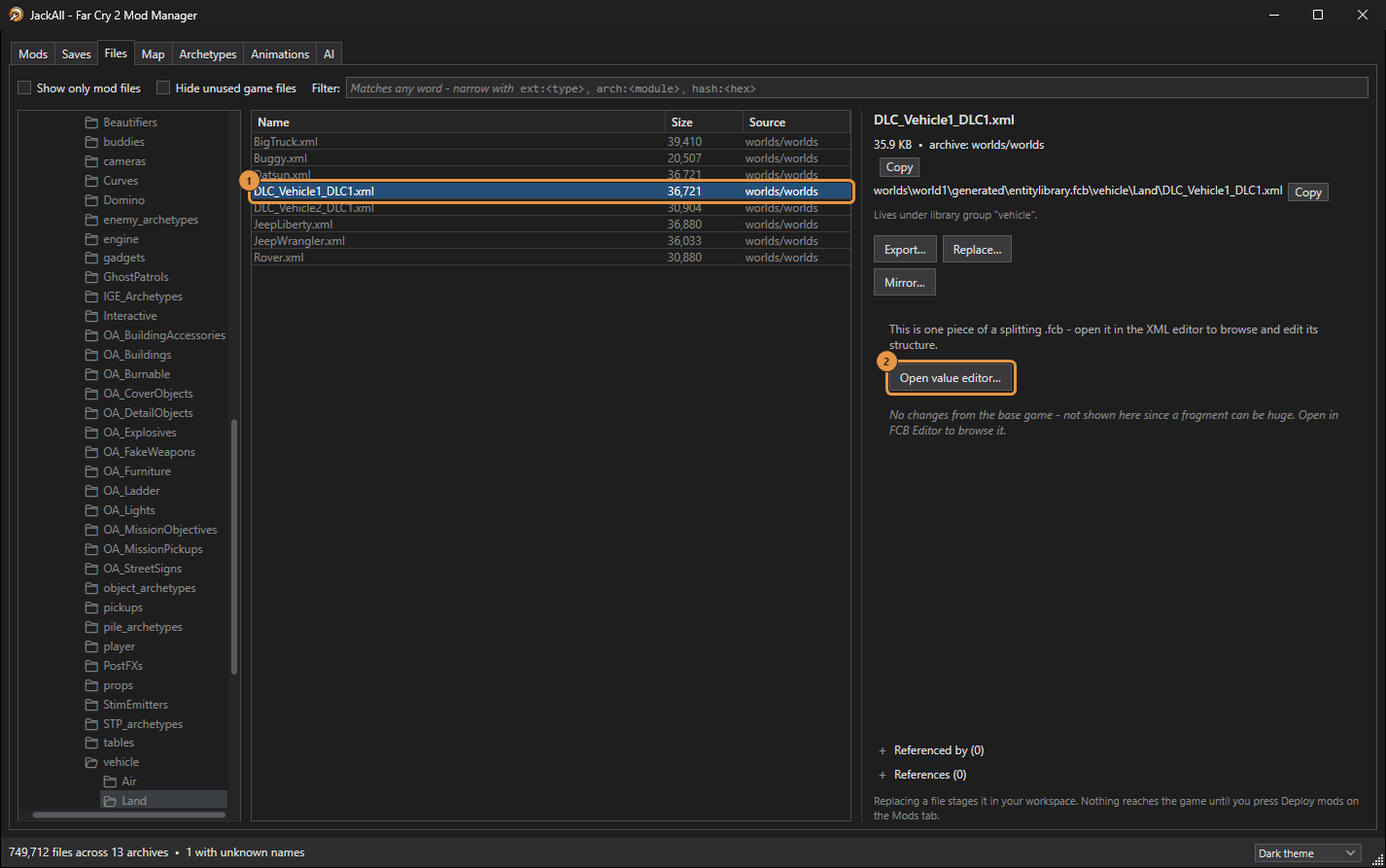
On the Files tab, open worlds\world1\generated\entitylibrary.fcb\vehicle\Land, select
DLC_Vehicle1_DLC1.xml (1) and click Open value editor… (2). The archetype opens in its own tab.
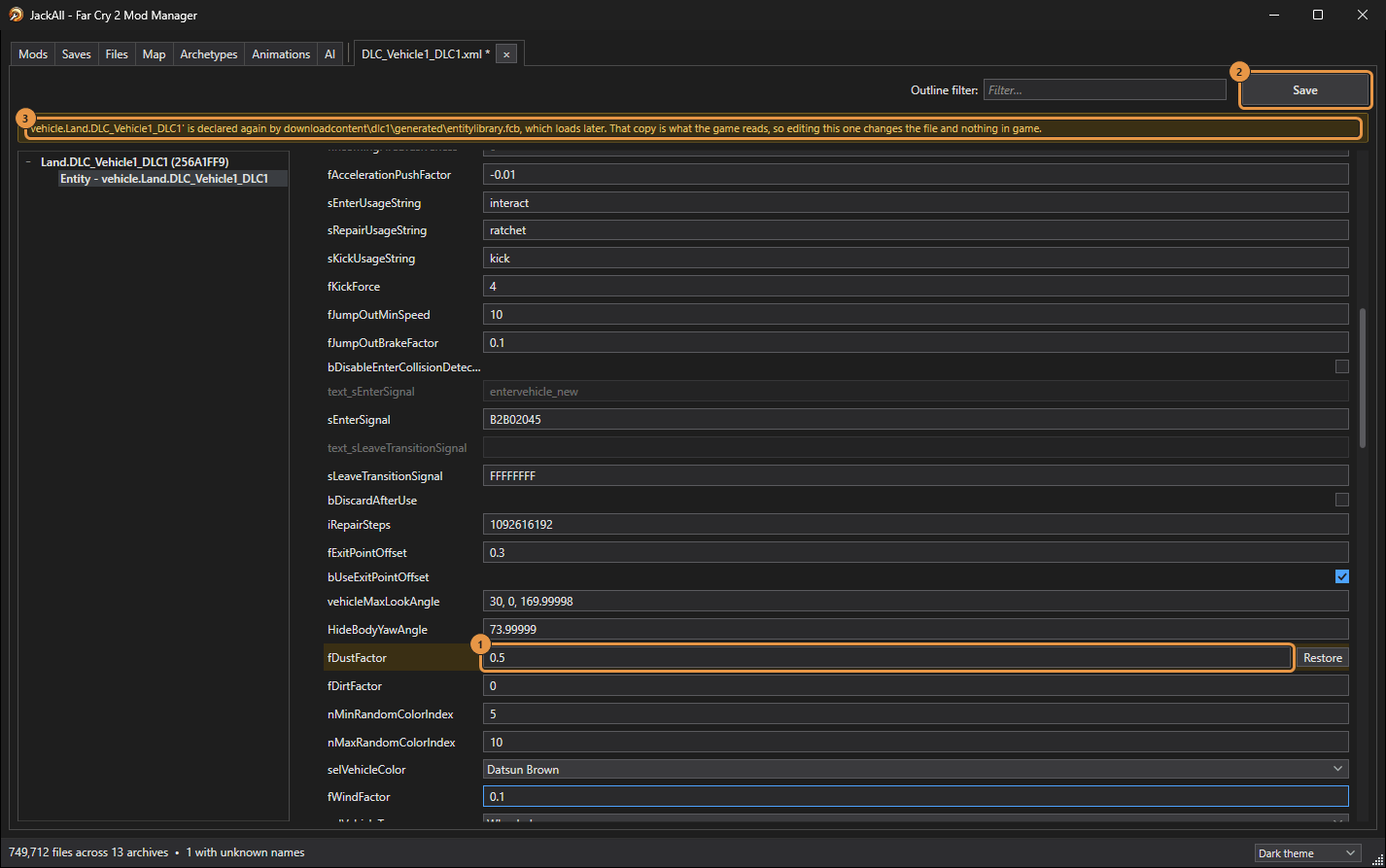
Open CVehicle, change fDustFactor from 0.15 to 0.5 (1), and Save (2). What the field does doesn't matter here; the point is which copy you're changing. A moment after the tab opens, a strip at the top warns that the DLC's library declares the archetype again (3). Save anyway, to see how the rest of JackAll treats a dead edit.
The Archetypes tab catches it
Open the Archetypes tab, load world1 and find the quad (1). The archetype is marked as edited, and Mods editing this lists your edit as dead (2).
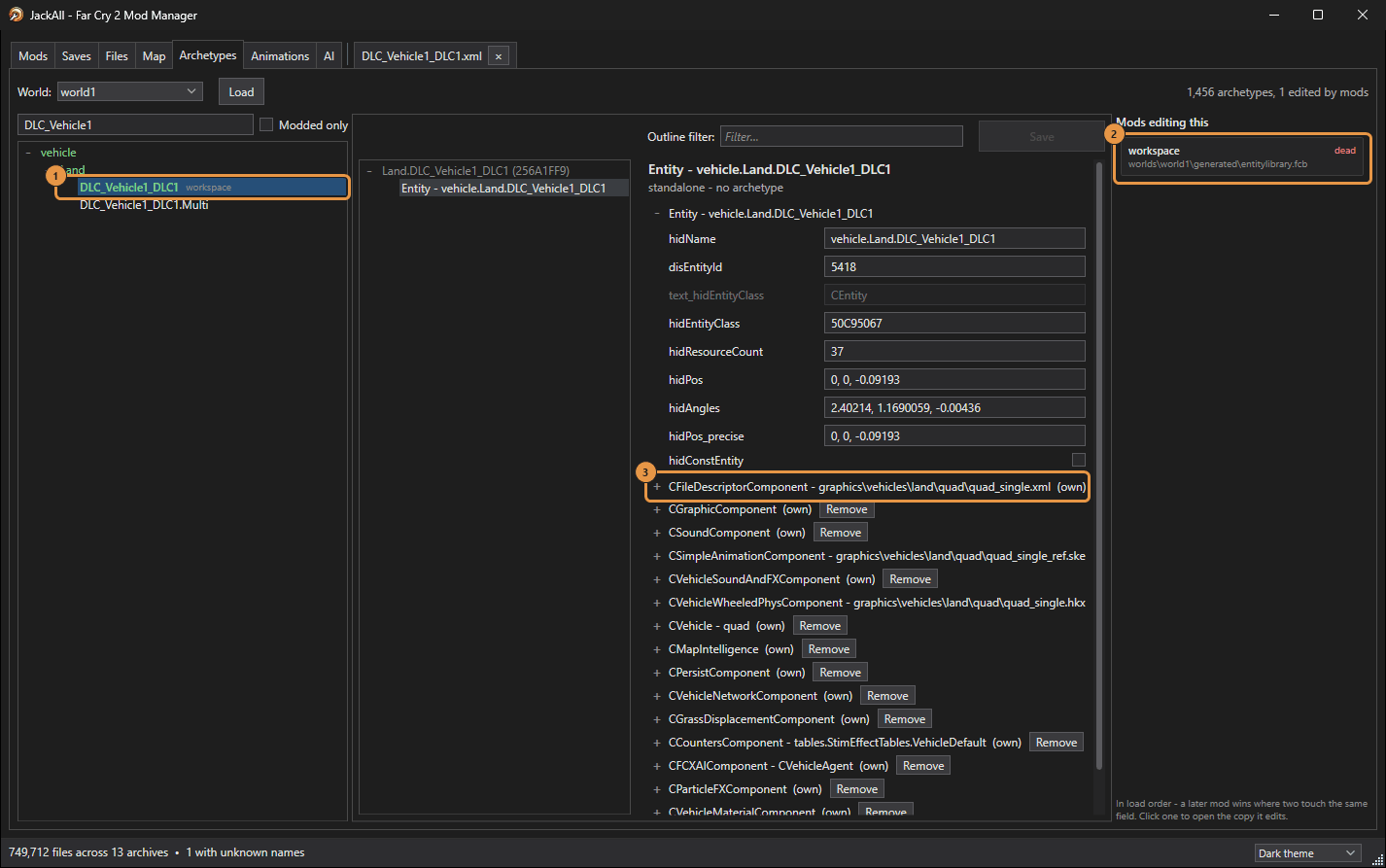
The editor in the middle doesn't show your edit. It shows the definition the game actually reads, and you can see it's a different one: its files are the quad's (3), not the Datsun's. This tab always opens the winning copy, and that's the habit to get into: change archetypes from the Archetypes tab, not by opening a library file.
Check for dead edits
You don't have to look up every archetype by hand. On the Mods tab, Check for dead edits goes through every archetype your enabled mods and your workspace change, and lists the ones a later library overrides, with the library that wins.

Run it before you share a mod. jackall-cli mod lint does the same on the command line.
The fix
Back on the Archetypes tab, with the quad selected, make the same change in the editor and save. The list updates straight away: two entries, the old one still dead (1) and the new one, in the DLC's library, marked the game reads this (2).

Then remove the dead copy so it doesn't confuse whoever opens your mod next: select it on the Files tab and click Revert.
Two more things the tab does
- Modded only keeps only archetypes something changes, which is a quick way to review a whole mod.
- Clicking an entry under Mods editing this opens that mod's copy, even a dead one, so you can see what it changes.
The list also shows other mods' edits, in load order. When two mods change the same archetype, this is where you see whether they touch the same fields. See Load order, conflicts and plugins.