Edit a model in Blender
Far Cry 2's models are spread over several formats: the mesh (.xbg), its materials (.xbm), their
textures (.xbt), the skeleton and the animation banks. JackAll collects everything a model needs
into one model pack, a .fc2model file, which the Far Cry 2 Formats add-on for Blender opens
like any other format. When you're done, JackAll turns the pack back into game files.
The example makes the AK-47's magazine longer.
VSS Vintorez's model was built through this same pack and add-on, and was played. This magazine edit hasn't been played.
1. Export the pack
On the Files tab, select graphics\weapons\primary\ak47\ak47.xbg (search hash:585ACE93, or
ext:xbg ak47). Click Export as .fc2model… (1) and save the pack.
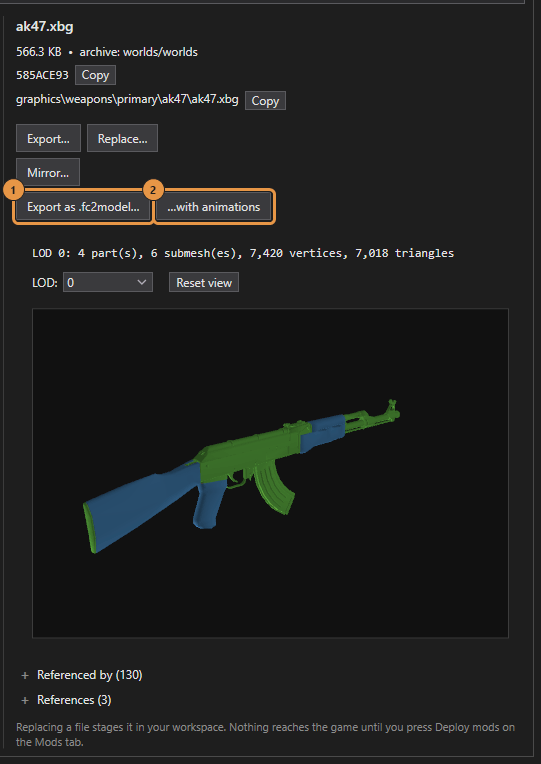
…with animations (2) also puts every animation bank that uses the model into the pack, so you can play its reload in Blender. That takes a while, because JackAll has to look through all the banks; leave it out when you only change the shape.
2. Install the add-on
You need Blender 4.2 or newer and the add-on's zip, farcry2_formats-<version>.zip (it's built
from tools/BlenderFC2). In
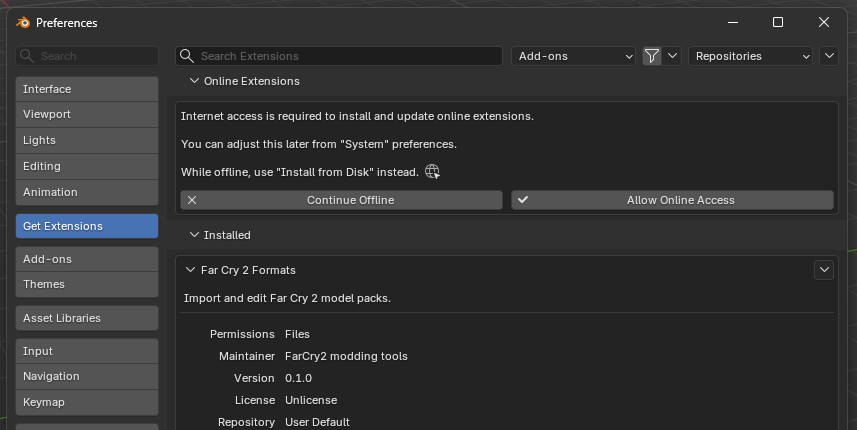
Blender, open Edit ▸ Preferences ▸ Get Extensions, then Install from Disk in the menu at the
top right, and pick the zip. It shows up as Far Cry 2 Formats.
3. Open the pack
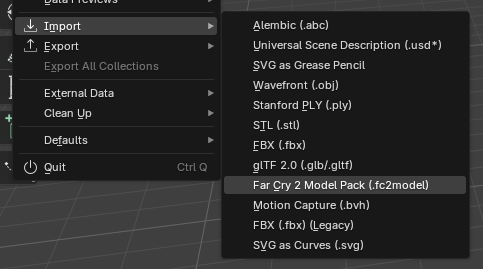
File ▸ Import ▸ Far Cry 2 Model Pack (.fc2model), and pick the pack.
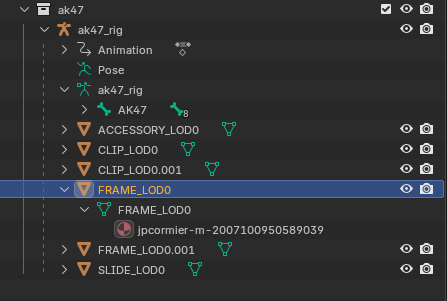
The model arrives with its rig and its parts, named the way the game names them: FRAME is the
body of the gun, CLIP the magazine, SLIDE the bolt, ACCESSORY whatever hangs off it. _LOD0
is the full-detail version; a second object of the same part (.001) is a second piece of it with
another material.
4. Edit
Select the CLIP parts, press Tab for Edit Mode, select the bottom of the magazine and move it
down. Work in Edit Mode: moving or scaling a whole part in Object Mode doesn't reach the game,
because each part sits on its own bone, and the bone decides where the part is.
Before exporting, open the sidebar (N) and the Far Cry 2 tab, and click Check. It lists anything the game can't take, from a part moved in Object Mode to too many vertices in one piece, each with a button that selects what it's about. Errors block the export; warnings explain what the game will do instead.
5. Export the pack
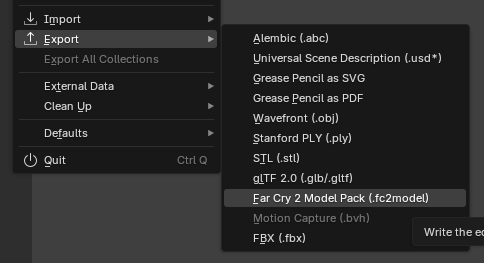
File ▸ Export ▸ Far Cry 2 Model Pack (.fc2model) writes your changes back into the pack. Only what you changed is marked as changed, so nothing else gets rewritten.
6. Apply it in JackAll
On the Mods tab, click Apply .fc2model and pick the pack. JackAll lists the game files it is about to put into your workspace, here only the model itself, since the textures didn't change.

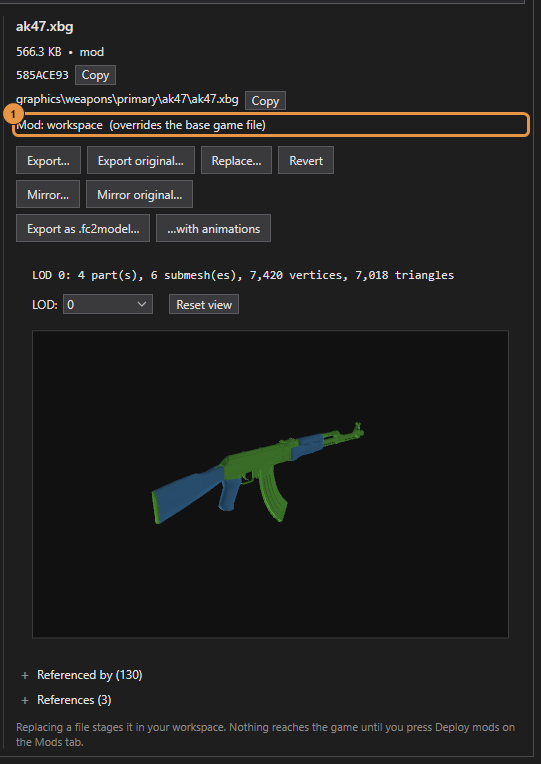
Click Yes. Back on the Files tab, the AK-47's model now comes from your workspace (1), and its preview shows the longer magazine.
Then Deploy mods.
What else the add-on does
- Materials are edited in Properties ▸ Material ▸ Far Cry 2, or in the Material panel of the Far Cry 2 sidebar: the same values JackAll's material editor shows, grouped the way the shader groups them. A material the model shares with other models is read-only; Copy to a New Material makes one of the model's own and draws the selected parts with it. A part draws with whatever material its slot holds, at every level of detail.
- Textures travel in the pack as PNG. Paint one in Blender or pick another image for a slot, and export writes it back; an image from outside the pack becomes a new texture beside the model. Texturing a weapon explains how the game's materials use them.
- Animations from a pack exported with animations load onto the rig from Object ▸ Load Far Cry 2 Animation, and an edited one can be written back.
- Add as New Part adds a mesh the model didn't have before.
It can't remove a part or add a level of detail yet. Replacing a weapon is the full method for a new gun, built on this same round trip, and the add-on's own README lists everything it checks.