Your first mod: a bigger AK-47 magazine
This walkthrough changes one number: the AK-47's magazine goes from 30 rounds to 60. That is small on purpose. Every data mod in Far Cry 2 works the same way, so once you've done this one you know how to change any weapon, vehicle, price or AI value: find the definition the game reads, change the field, save, deploy, play.
VSS Vintorez changes this same field on the Dart Rifle (iAmmoInClip, 1 → 10) in exactly this kind
of file, and it was played. This AK-47 change itself hasn't been played yet.
You need JackAll set up and pointed at your game. If you haven't done that yet, follow Installing mods with JackAll up to step 2.
1. Load a world's archetypes
Everything you see in the game, a gun, a jeep, a guard, is an archetype: a named definition with all of its settings. Each campaign world has its own library of them. Open the Archetypes tab (1), pick world1 (2) and click Load (3). The status on the right (4) says how many archetypes the world has.

2. Find the AK-47
Type AK47 into the search box (1). The tree keeps only what matches. Open WeaponProperties ▸
Primary and click AK47 (2).
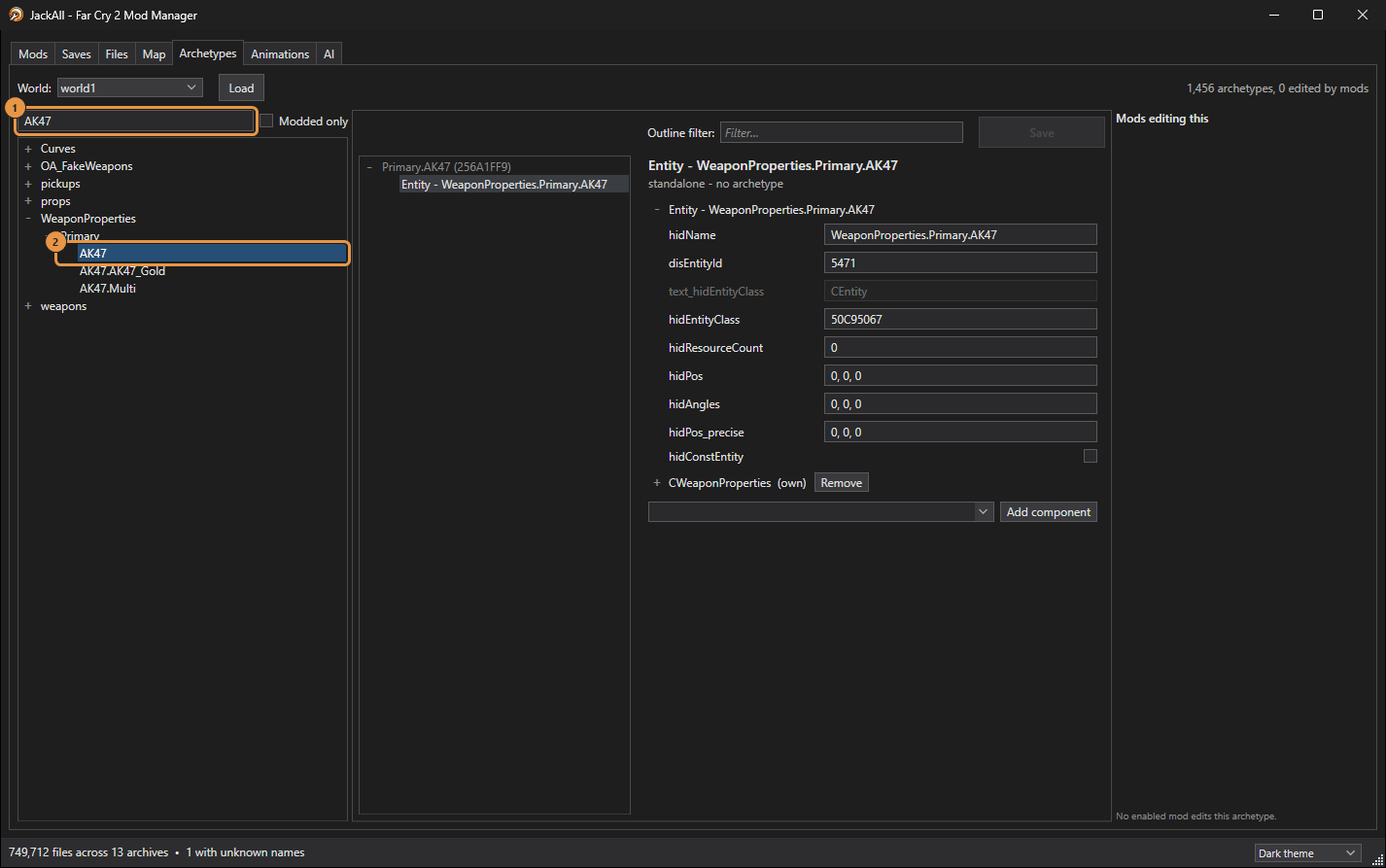
There are two AK-47 archetypes and it matters which one you pick:
weapons.Primary.AK47is the gun as an object in the world: its model, its sounds, how it's carried.WeaponProperties.Primary.AK47is how it behaves: damage, accuracy, reliability, and the magazine. That's the one you want.
The middle of the window is the value editor. Every setting of the archetype is a field with its real name and type, grouped the way the game groups them.
3. Change the magazine
In the value editor, open CWeaponProperties ▸ CommonProperties ▸ Ammo. Click into
iAmmoInClip (1), type 60 and click somewhere else. The field turns highlighted and gets a
Restore button, which puts the original value back if you change your mind. Click Save (2).
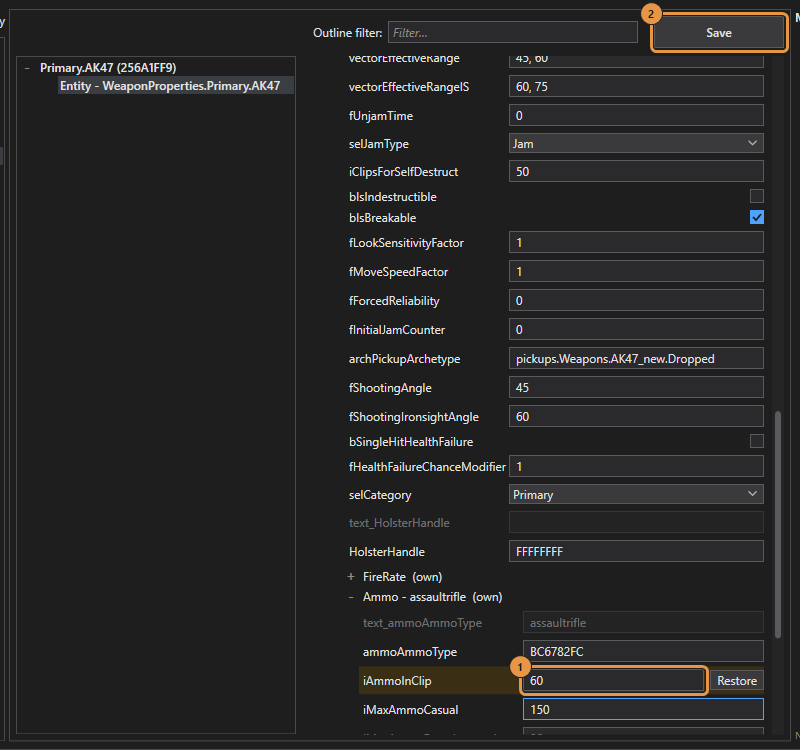
Saving doesn't touch the game. It writes a small file into your workspace, the folder next to JackAll where your own edits live.
4. Check that it's the copy the game reads
Click Load again. The AK-47 now shows workspace next to it (1), and Mods editing this on the right lists your edit with the game reads this (2).
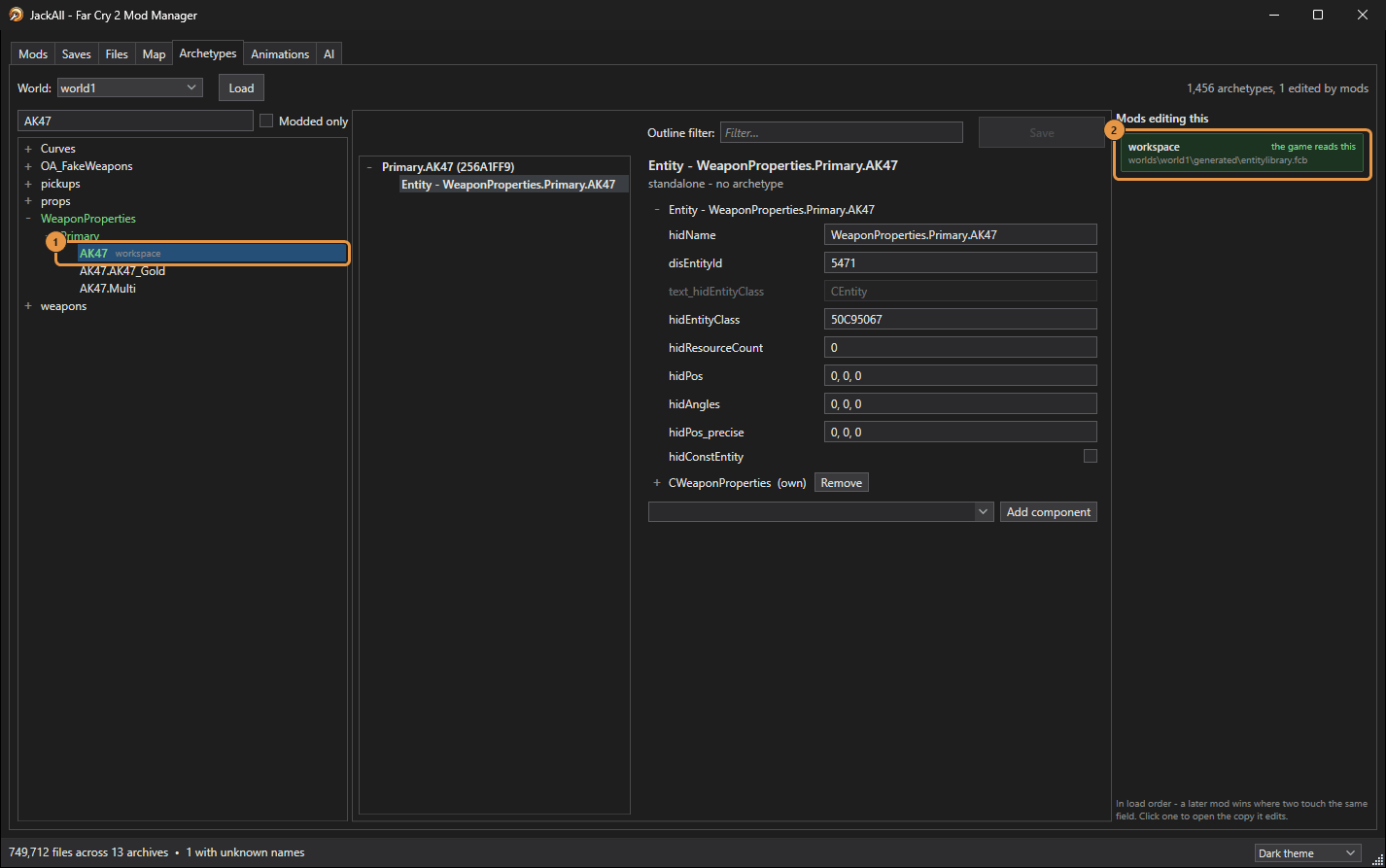
That last bit is the point of this tab. An archetype can be declared in more than one library, and the game only reads one of them. If you edit a copy the game never reads, the panel says dead instead, and your change would do nothing in game.
5. Do the same in world2
Far Cry 2 has two campaign worlds, and each one has its own copy of every weapon. Act 1 reads world1's, act 2 reads world2's. Pick world2, click Load, and repeat steps 2 and 3. If you skip this, your AK-47 goes back to 30 rounds the moment you reach the second map.
6. Look at what you made
Open the Mods tab and click the workspace row (1). On the right is everything you've changed (2): two files, one per world, each holding only the AK-47's weapon properties.
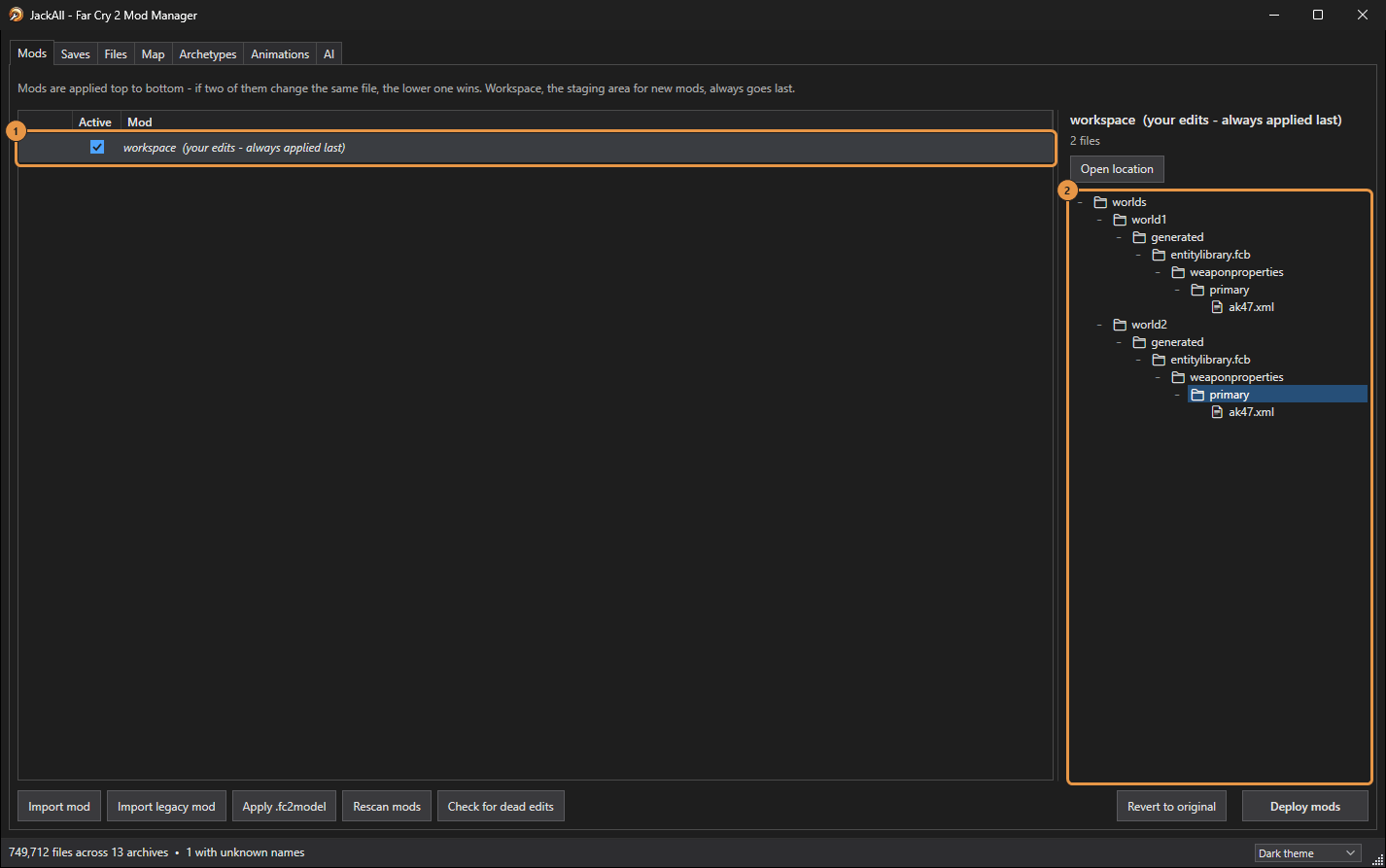
That's the whole mod. Not a copy of the whole entity library, just the one entry you changed. That's also why it gets along with other mods: a mod that changes a different weapon, or a different field of the same one, doesn't collide with yours.
7. Deploy and play
Click Deploy mods, wait for Built patch.dat in the status line, then start the game.
Start a new game to test it. A save keeps many of the values it was made with, so an old save can still show 30 rounds even though the mod works.
If the magazine still shows 30 in a new game:
- Did you click Deploy mods after saving?
- Did you change both worlds? Act 1 starts in world1.
- Is the workspace row still ticked on the Mods tab?