Links, triggers, lights and prefabs
A Far Cry 2 world isn't only things standing around. Trigger zones notice the player, lights have a reach, and objects send each other events: a trigger tells a door to open, a switch turns on a light. This page shows how those look and change on the Map tab, on the proximity triggers outside the game's safehouses, and how to bundle objects into a prefab.
Links, handles and prefabs save like the other map edits, and none has been loaded in game yet.
Triggers and links
Turn on Event links under Layers ▾: every link in the world becomes a line from the object
that sends the event to the one that receives it. Then select an object, here a safehouse's proximity
trigger (1), filtered with SafehouseCheck.
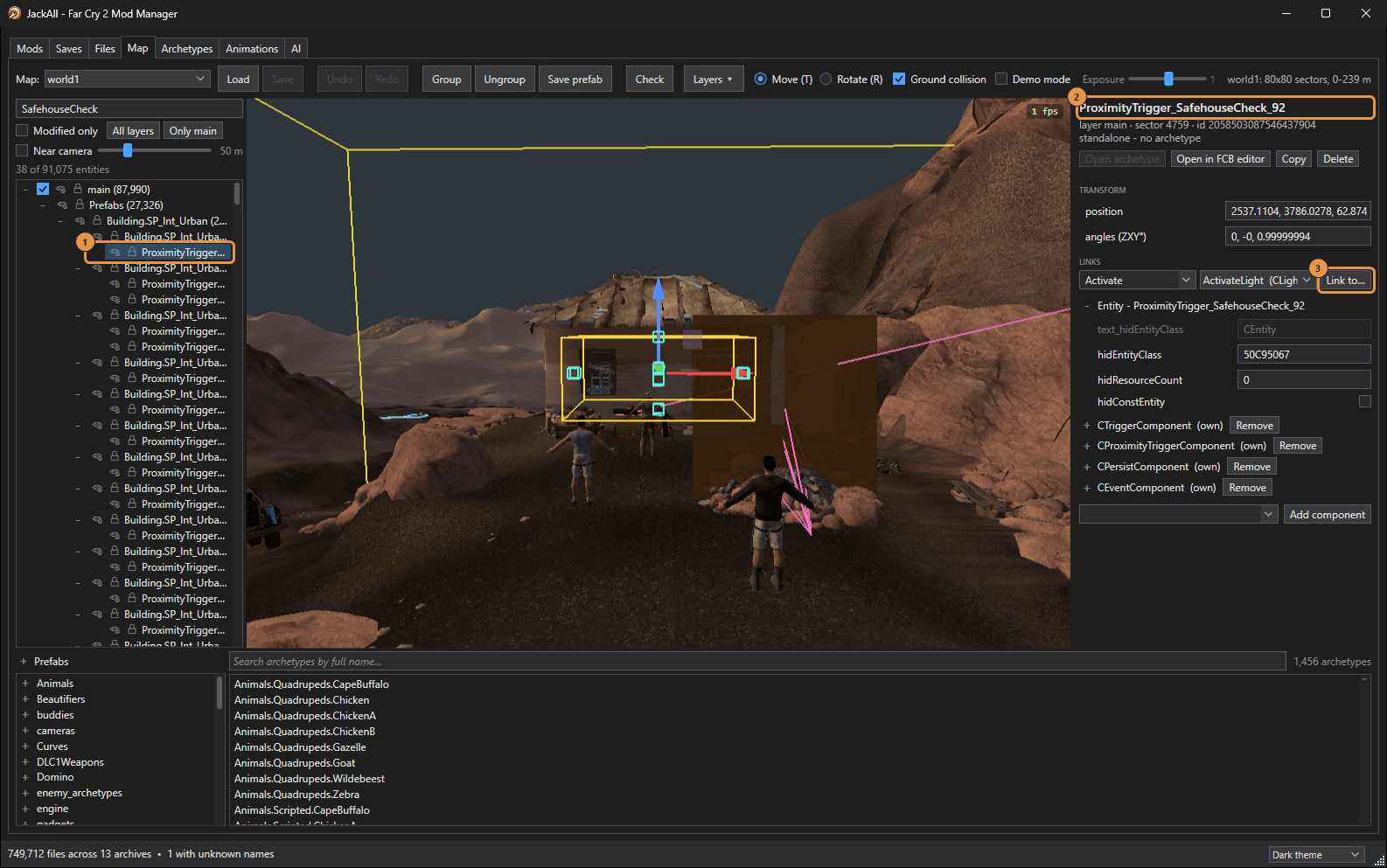
The inspector (2) has a LINKS section with what the object sends. Each link is an output (when it fires, on this object) and an event (what the target does), picked from the two drop-downs, and × removes it.
A trigger zone is the yellow box. The small squares on its faces are handles: drag one to resize the zone in that direction. A light shows a ring for its reach, and a spot light also its cone; drag the ring to change the radius.
Add a link
Pick an output and an event, then click Link to… (1). The status line asks you to click the target (2). Click the object that should receive the event in the 3D view, or press Escape to cancel.
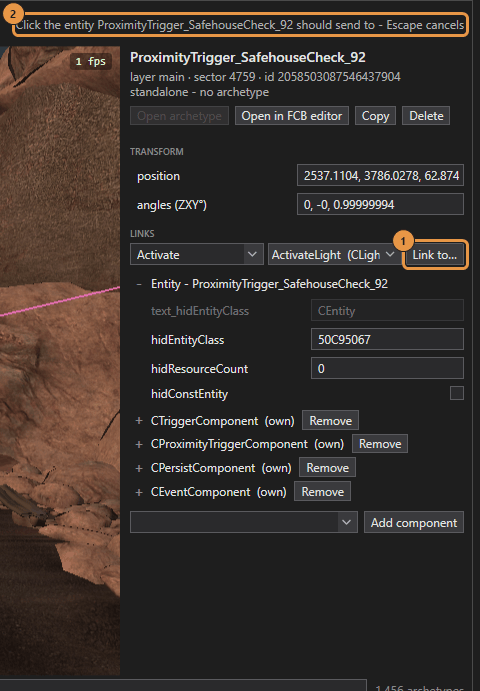
The new link appears in the list and as a line in the view. Check warns about links whose target you later delete.
Prefabs
A prefab is a group of objects that moves, turns, copies and deletes as one, like a building together with its furniture and its triggers. Many of the game's own objects already sit in prefabs; the hierarchy lists them under Prefabs.
To make one, select the objects (Ctrl+click in the hierarchy or the view) and click Group (1), or press Ctrl+G. Save prefab (2) keeps it in the library, as the status line says (3). It's listed under Prefabs at the bottom left (4), and you can drag it onto the ground in any world, including the other campaign map.
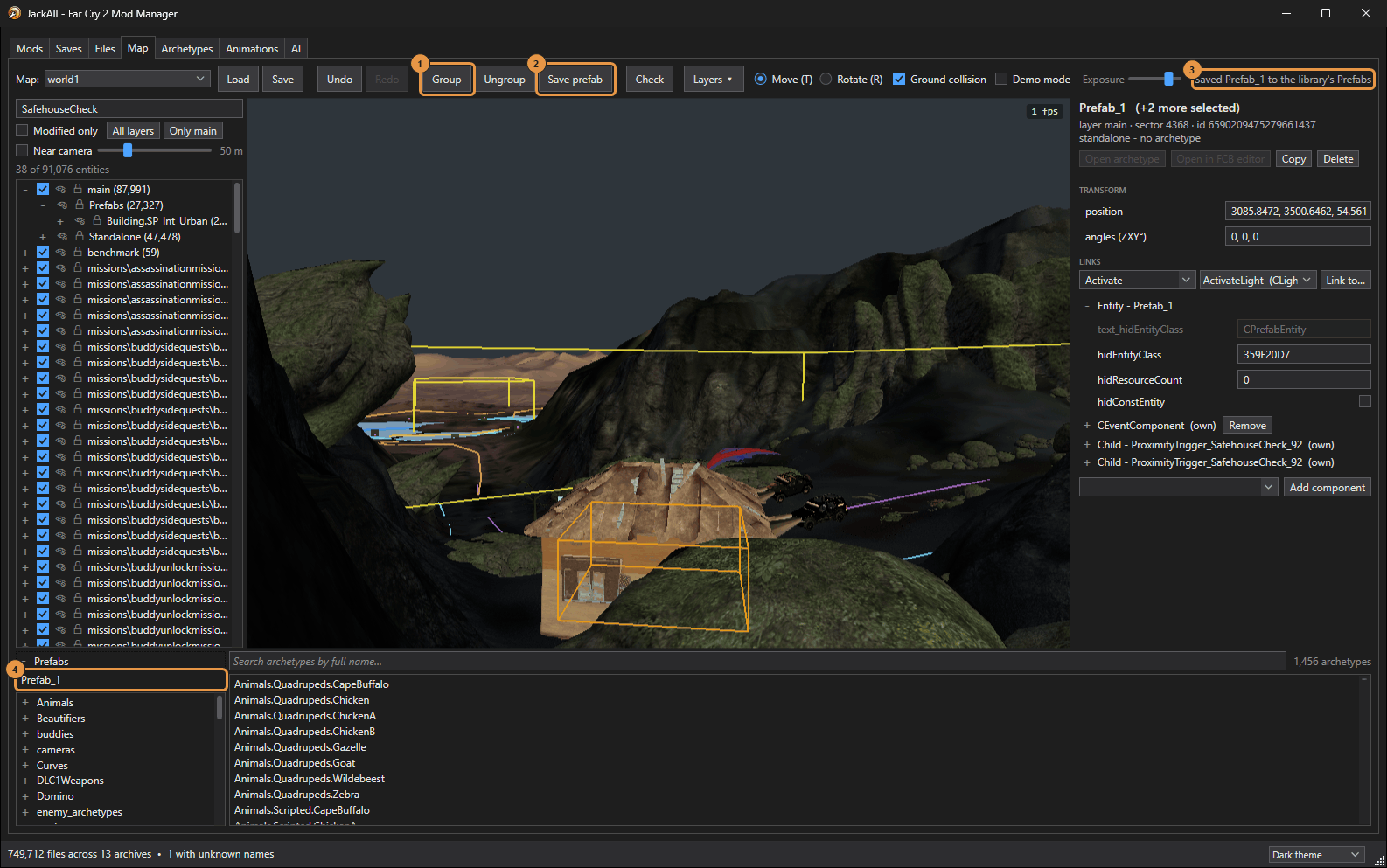
Ungroup (Ctrl+Shift+G) dissolves a prefab and leaves its members where they are. A layer's right-click menu also has New ▸ Prefab.
Hide and lock
Each row in the hierarchy has an eye and a lock. The eye hides the object in the view, the lock stops it from being selected, which helps when you work around something big. Both last only until you close JackAll; they aren't saved into the world.