Read a mission
Far Cry 2's missions were built in Domino, a visual scripting tool: boxes that do one thing each
(spawn, wait, show an objective, play music), connected by wires. The game doesn't ship the graphs,
only the Lua code Domino generated from them, in domino\user\. JackAll turns that Lua back into the
graph, with the boxes' real names and their pins, so you can read what a mission does.
The example is the first act's town escape mission, domino\user\a1sm01_townescape.a1sm01_mission.lua.
The graph is read only: there's no way back from it to Lua yet, so nothing you do here changes the mission. The launcher button says "Editor", but everything on this page is reading.
Open a mission
On the Files tab, search ext:lua a1sm01_mission, select the mission's .lua and click Open in
Domino Viewer…. The graph opens in its own tab.
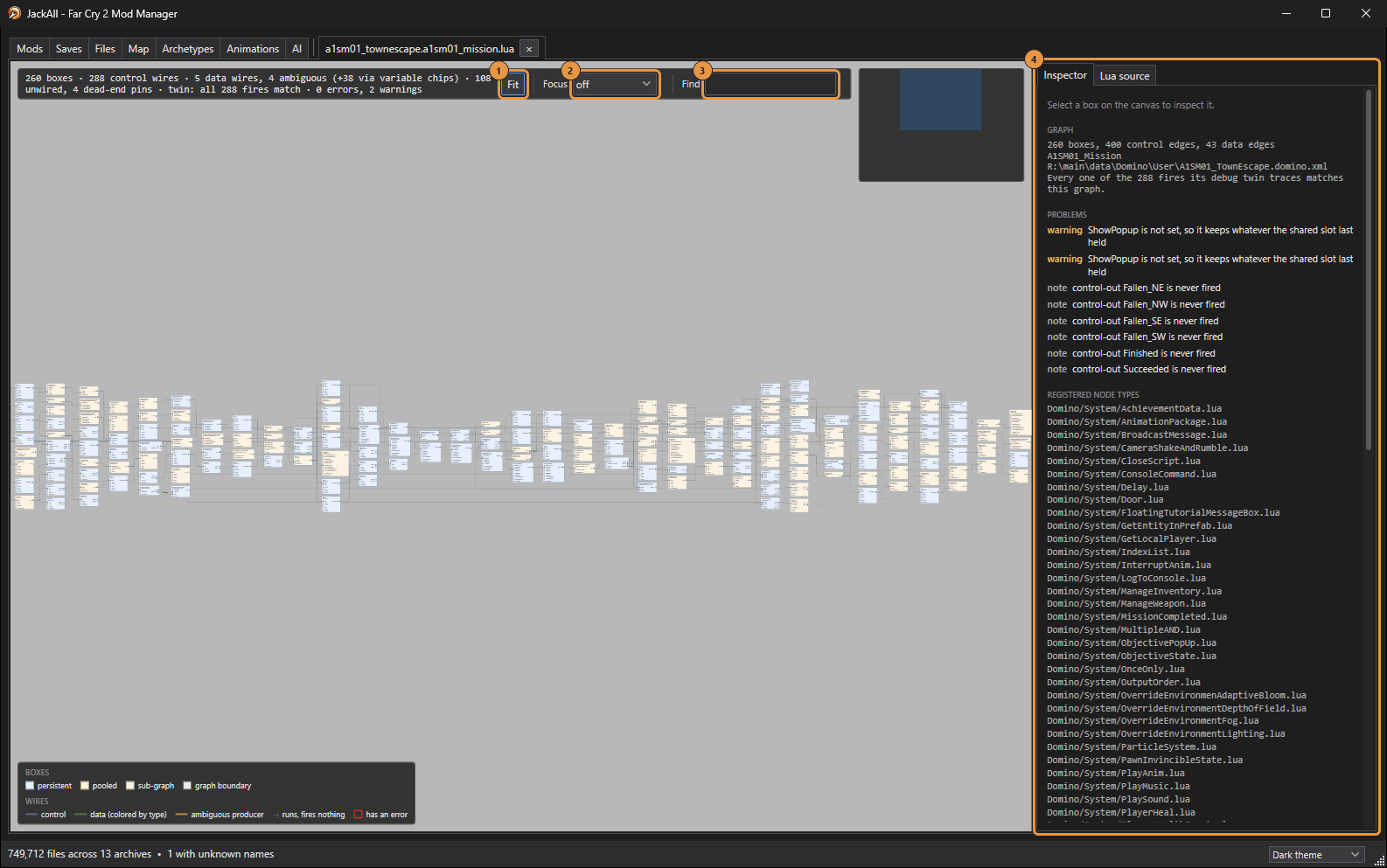
The line at the top counts the mission's boxes and wires. "twin: all 288 fires match" means JackAll
checked its graph against the .debug.lua file next to the script, which records what the original
graph did, and they agree. Then:
- Fit (1) zooms to show the whole graph. Scroll to zoom and drag with the right mouse button to move around; the small map at the top right shows where you are.
- Focus (2) dims everything more than 1, 2, 3 or 5 wires away from the selected box, so you can follow one thread through a big mission.
- Find (3) searches box names and types. Enter jumps to the next match.
- The Inspector (4) describes the whole graph while nothing is selected, including problems such as outputs nothing listens to, and the list of box types the mission uses.
The legend at the bottom left explains the colours of boxes and wires.
Read a box
Find Objective and press Enter. The first match is selected, and the Inspector shows it: what the
box does (1), written from its Lua implementation, its PARAMETERS (2), and its PINS (3), the
inputs and outputs wires attach to. Find counts the matches (4).
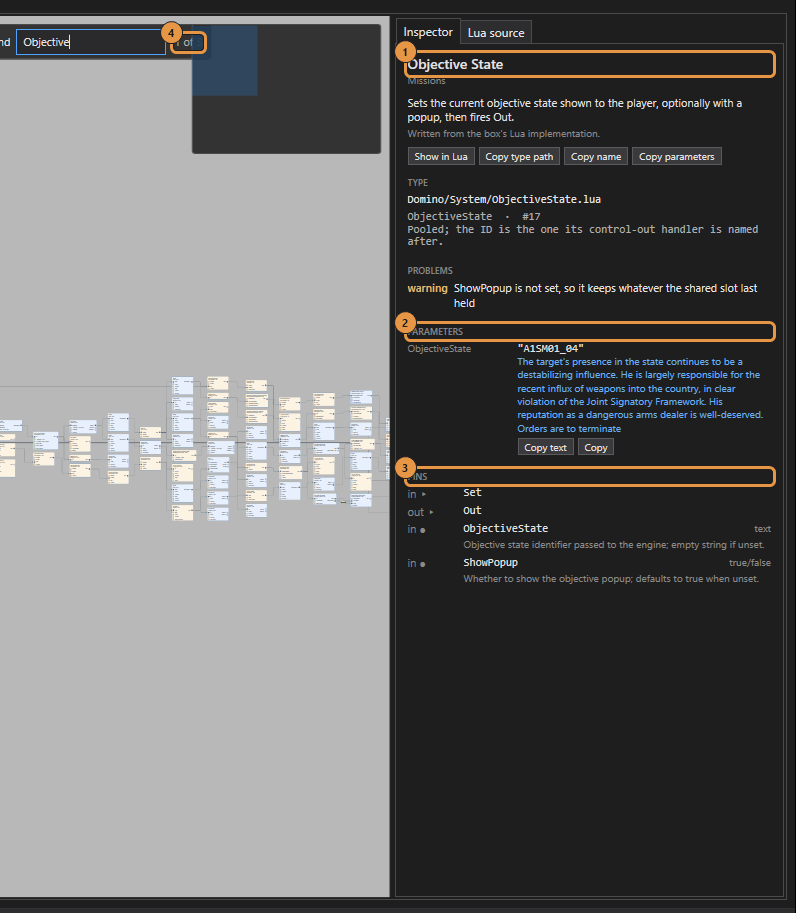
Where a parameter names a string, JackAll looks the text up: this box shows the player the objective
A1SM01_04, and the Inspector prints what it says. Show in Lua jumps to the box's code, and the
copy buttons put a name, a path or a value on the clipboard. A parameter that names an entity, a
graph or a sound has a button to open it.
The Lua behind it
The Lua source tab next to the Inspector shows the generated script itself.
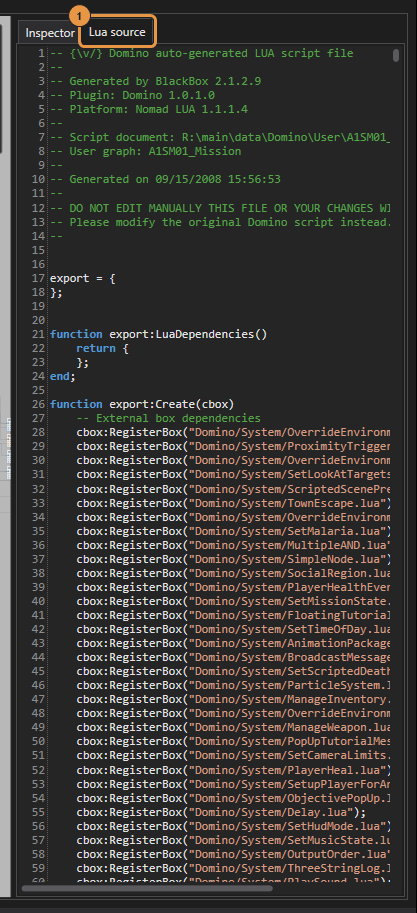
That's the file a mod that changes a mission has to edit by hand, for example to skip a cutscene. Import an old patch.dat mod looks at one that does. The graph tells you which part of it to change.