Savegames
The Saves tab exists mostly to explain one thing that has confused Far Cry 2 modders for years: why does my mod do nothing in my save?
A save stores a lot more than your progress. It keeps the state of tens of thousands of entities,
and with it many of the values those entities had when the save was made. When you load it, those
stored values win over whatever the entity libraries say now. So a mod that changes .fcb values,
weapons, vehicles, prices, AI, can look broken in an old save while it works fine in a new game.
Purge and the value editor write saves the way the format is understood. A purged save hasn't been loaded and played yet. Keep a copy of any save you care about.
The list
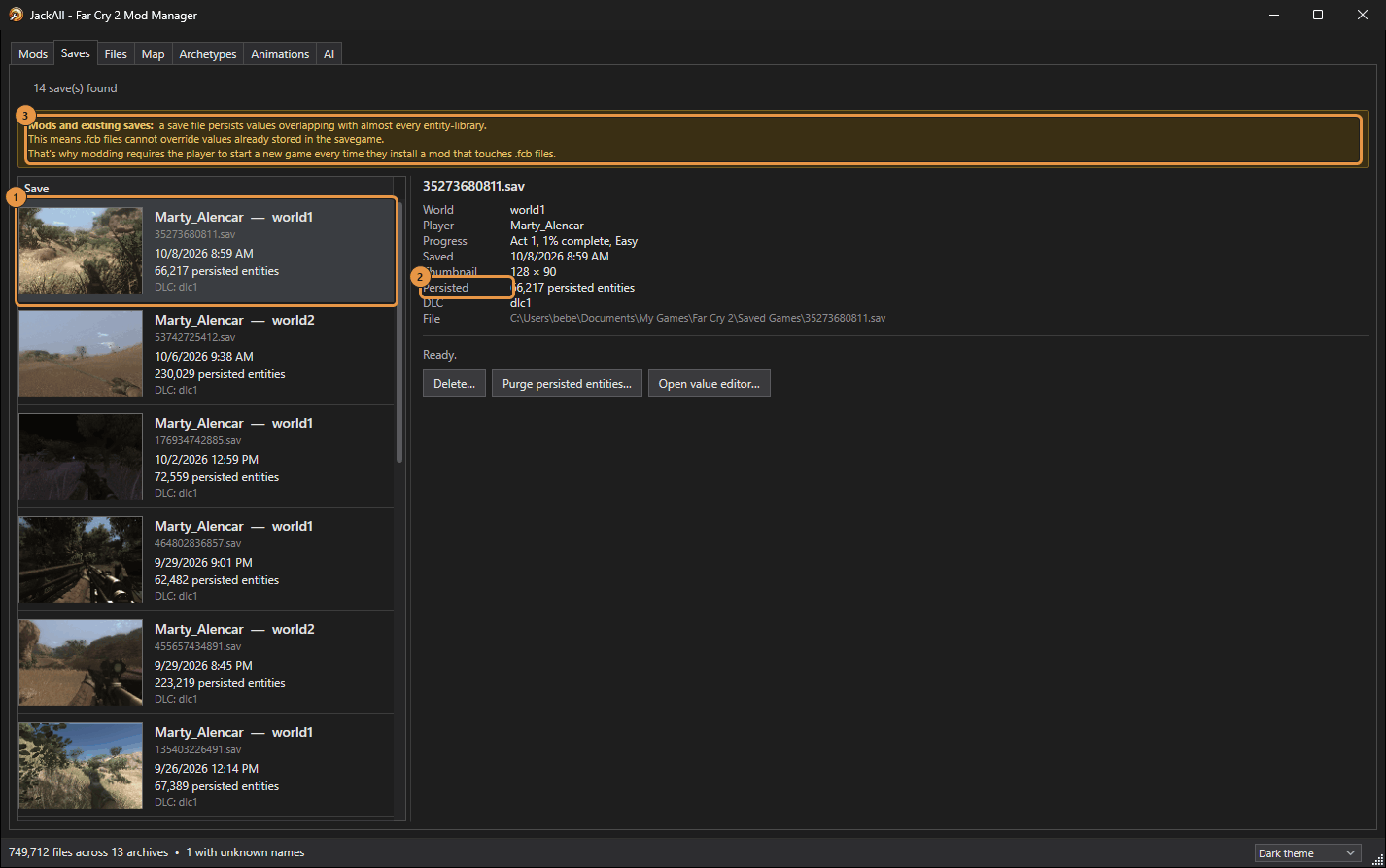
JackAll finds the saves in Documents\My Games\Far Cry 2\Saved Games. Each row shows the in-game
screenshot, the character and world, the file name, when it was saved, how many entities it stores,
and the DLC it needs (1). Select one for the details (2), including the act, how far the campaign is
and the difficulty. The note at the top (3) is the warning from the start of this page.
Purge: let a save pick up your mods
Purge persisted entities… writes a copy of the save with the stored entities dropped. When you load the copy, every entity comes back from the game's current entity libraries, so a mod you installed after making the save takes effect. JackAll explains what that costs before it does it:

- The world resets: cleared outposts fill up again, destroyed props are back, and anything you dropped on the ground is gone.
- Your progress stays: missions, buddies, tapes and diamonds carry over.
- The original save isn't touched. The copy appears as a new row, with a new file name.
The values in a save
Open value editor… opens what the save stores in the same editor as everything else. The outline (1) is the save's structure: groups, then one row per stored entity.
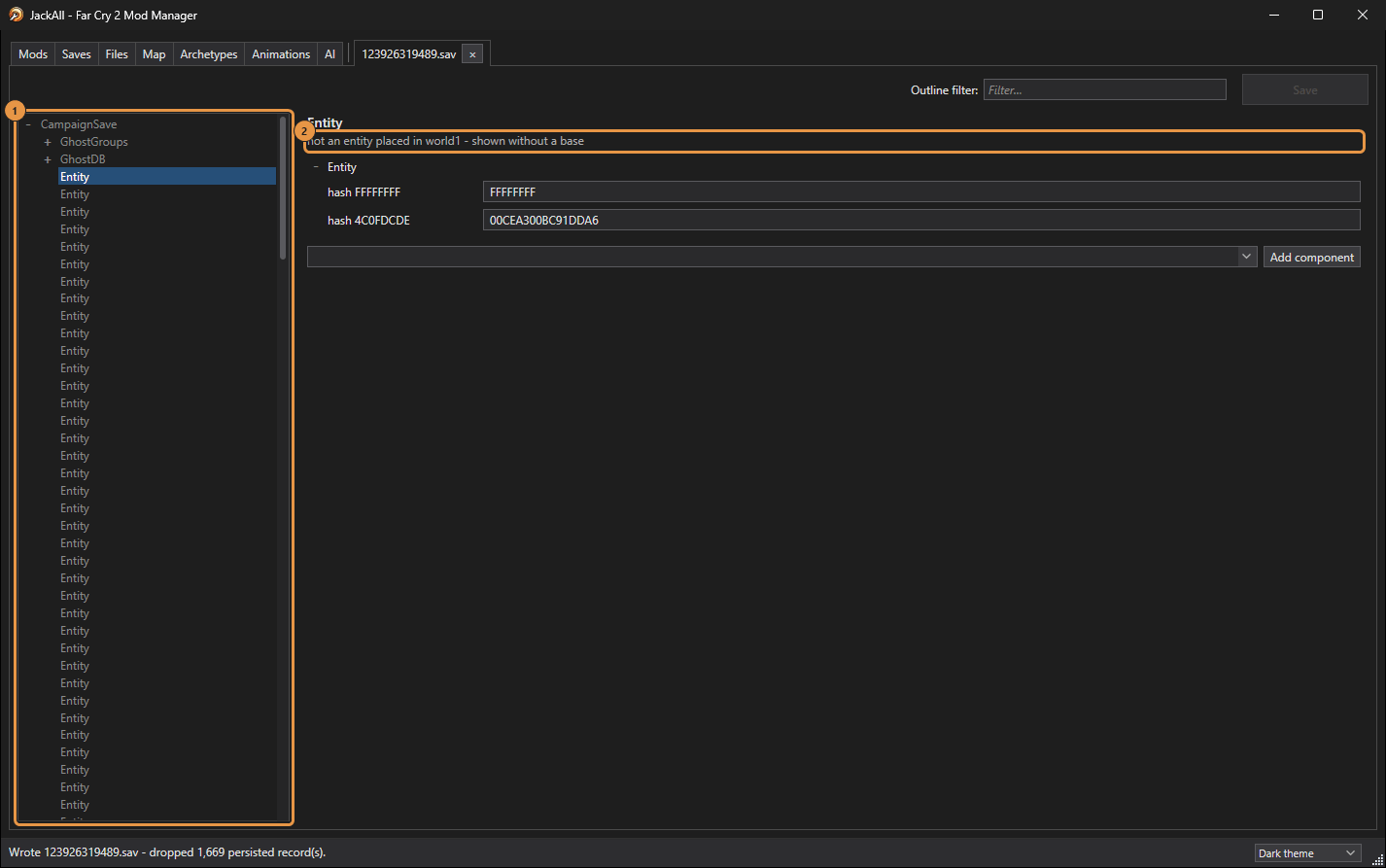
Be realistic about this view. A save keeps entities by number and many fields only by hash, so most rows show little you can recognise, like this entity that isn't one of world1's placed objects (2). It's useful for comparing two saves or for an expert fix, not for casual editing.
Save in this editor rewrites the save file itself. There's no workspace step and no backup.
Copy the .sav somewhere else first.
Delete
Delete… removes the save file from disk after asking. It can't be undone.
