Package and share your mod
There's no export step in JackAll. Everything you saved went into your workspace, as normal files on their real game paths, and that folder is already the mod. Sharing it means zipping what's inside, testing the zip, and uploading it.
This page packages the bigger AK-47 magazine from the first tutorial.
VSS Vintorez, Flashlight and Sky Overhaul ship in exactly this zip layout, and the same files were played in game.
1. Open the workspace folder
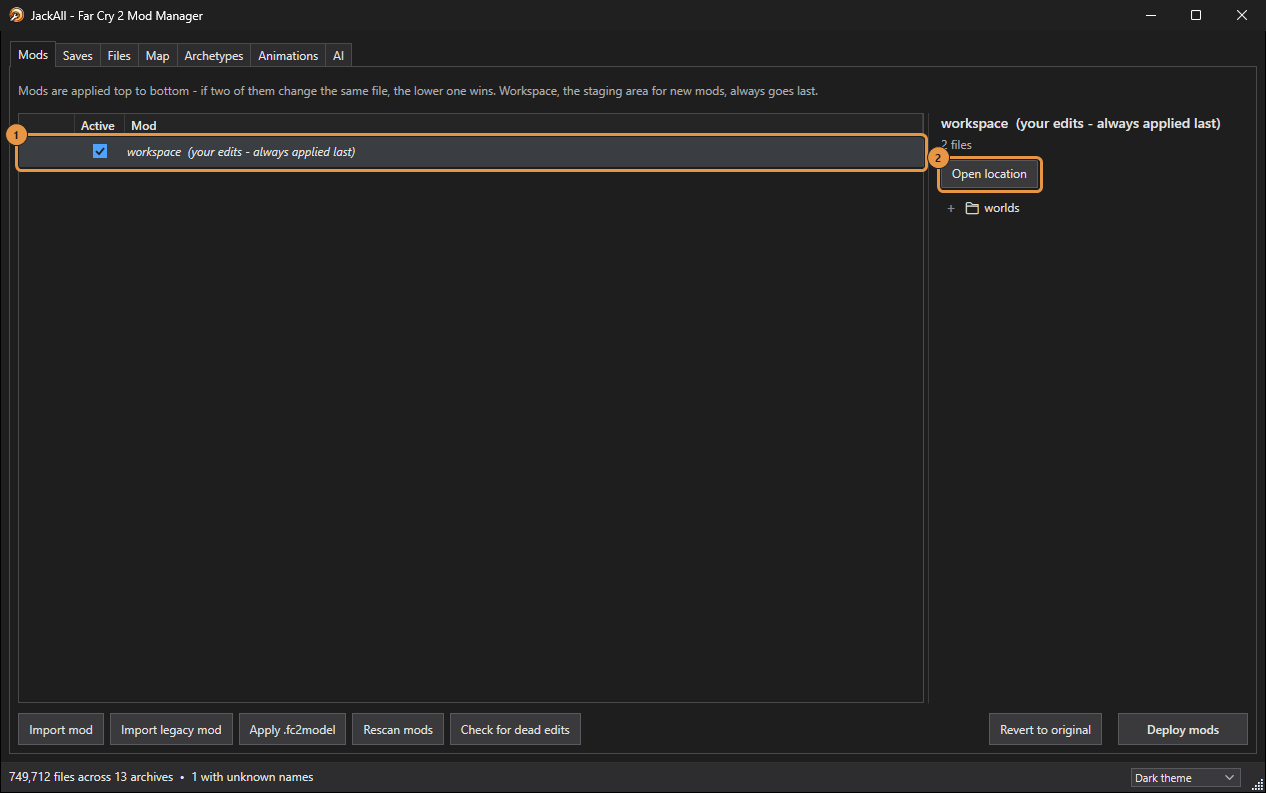
On the Mods tab, select the workspace row (1) and click Open location (2). Windows opens the workspace folder.
Inside it there's a mods folder, plus a plugins folder if your mod has an FCSE plugin. Those two
names are the whole format:
mods\holds game files on their real paths. Deploy builds them into the game's archive.plugins\holds FCSE plugins. Deploy copies them into the game'sbin\plugins\.
Anything else in the zip is ignored, so a readme next to them doesn't get in the way.
2. Zip it
Select the mods folder (and plugins, if there is one), right click, and pick Send to ▸
Compressed (zipped) folder. Rename the zip to something people will recognise, like
bigger-ak47-mags.zip.
Zip the folders, not the workspace folder around them. When you open the zip, mods has to be the
first thing you see. A zip with an extra folder around it, like bigger-ak47-mags\mods\…, is
rejected with "has no files this game recognises".
3. Test the zip
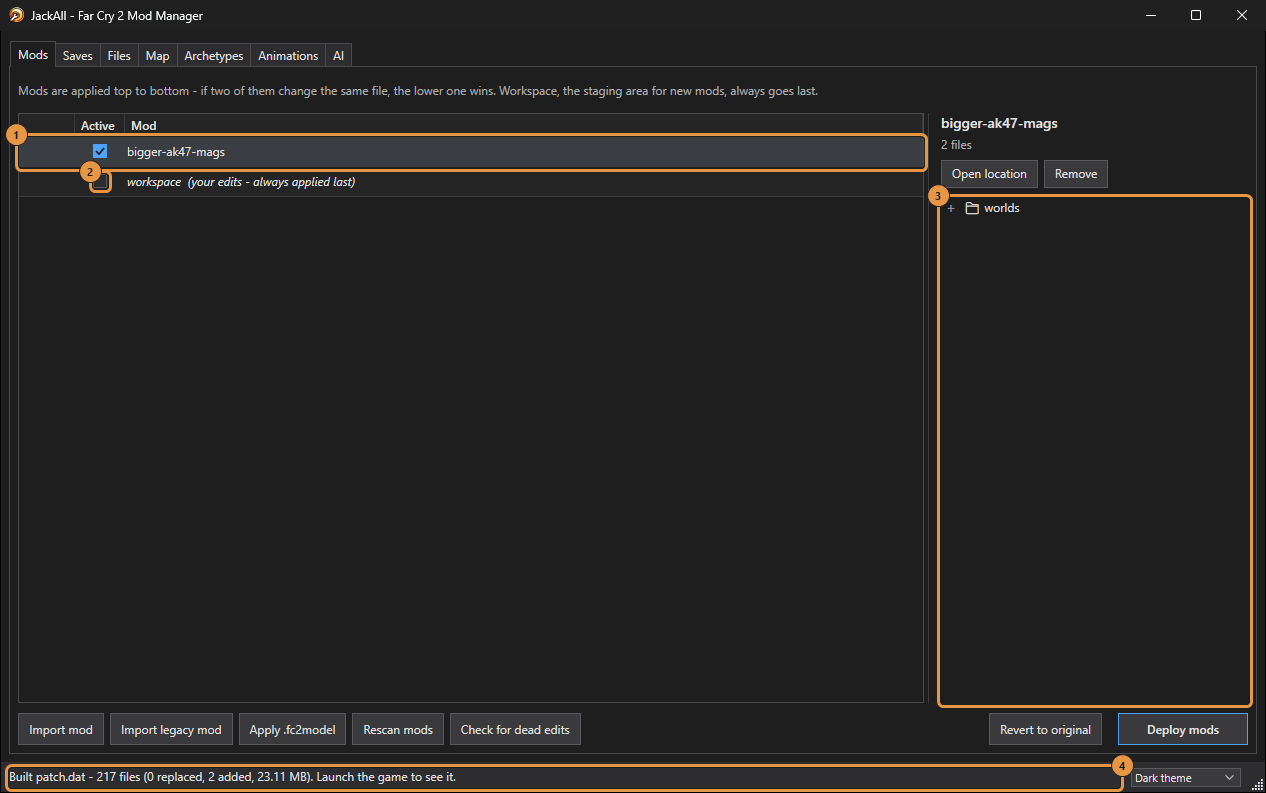
Before you upload it, install it the way a player would. Click Import mod and pick your zip. It shows up above the workspace (1). Untick the workspace (2), otherwise your own edits are still in the game and you're not testing the zip at all. The right side lists what's inside the zip (3). Deploy, and the status line (4) counts the files it added.
Play it. When you're done, remove the zip from the list and tick the workspace again to carry on working.
4. Upload it
Add a short readme to the zip that says what the mod changes, and whether it needs a new game or FCSE. Players install it with Import mod and Deploy mods, as in Installing mods with JackAll.
The same zip also works with the Vortex extension, since Vortex uses JackAll's own build to install it. Packaging a mod has the format in detail.